
 SparxIT
 SPXCommerce
 What's Your A





Marketing
eCommerce
eCommerce Data Warehouse: The Complete Guide to Smarter, Faster Retail Analytics
-
Vikash Sharma
- Sep 18, 2026
- 9 mins read
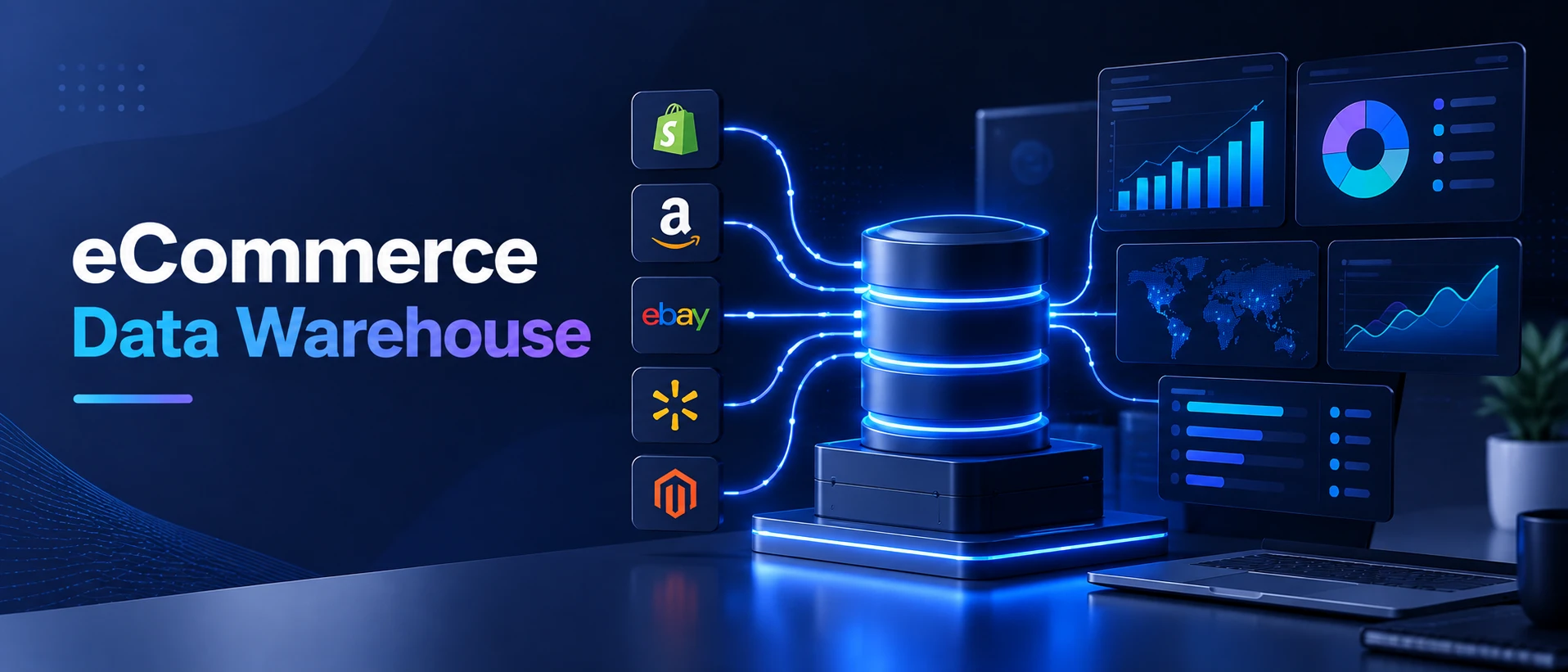
Every Shopify order and Google Ads campaign is generating more data for your eCommerce store, ranging from inventory feeds to customer behavior logs to return requests. But even most teams continue to make decisions on spreadsheets without connection, late reports, or intuition. Marketing doesn’t know what operations is seeing. Finance is clearing last week’s figures. No one knows if the final promo was profitable.
That’s the challenge an eCommerce data warehouse is meant to solve. It integrates these disparate data silos into one managed, queryable resource; instead of hunting down numbers in multiple tools, your team can ask real business questions and get reliable answers quickly.
Done right, a data warehouse doesn’t just consolidate data. It becomes the backbone of accurate demand forecasting, intelligent ad spend, customized customer experiences, and up-to-date AI-driven insights. As for revenue, companies at the top of the data-driven personalization leaderboard earn up to 40% more per employee than others, and McKinsey reports the gap is widening.
What is an eCommerce Data Warehouse?
An eCommerce data warehouse is a centralized, on-demand, structured data store that integrates data from a variety of source systems that your sales platform, CRM, ERP, marketing, logistics software, and more live within, into a common, consistent environment, optimized for analytics.
A data warehouse is optimized for queries across large volumes of historical data, whereas a transactional database is designed to record individual transactions such as orders or clicks. You can query: “What was our customer acquisition cost from Facebook vs. Google in the past three quarters, segmented by product category?” and receive a clear answer in mere seconds.
This is a real need at scale. Today, eCommerce market accounts for around $36.21 trillion worldwide. Even a 1% increase in inventory or ad attribution accuracy can mean millions of dollars at that scale. However, a recent Gartner study revealed that more than 60% of mid-market eCommerce organizations still perform cross-channel reporting through manual data reconciliation processes that are prone to human error, time-intensive, and ultimately unsustainable.
That’s where a well-designed eCommerce Data Warehouse comes into play. It establishes a single source of truth trusted by the entire team across marketing, finance, operations, and leadership.
What Are the Key Components of an eCommerce Data Warehouse Architecture?
Think of a data warehouse as your data supply chain, designed around your data. Raw material enters, is processed, efficiently stored, and sent to those who need it. Each layer works as follows:
1. Data Sources
Everything starts here. For eCommerce, there are usually the following sources:
- Platforms for sales (Shopify, Magento, WooCommerce, Salesforce Commerce Cloud)
- CRM systems (HubSpot, Salesforce)
- Popular ERP and inventory applications (NetSuite, SAP).
- Marketing platforms (Google Ads, Meta Ads, Klaviyo, Mailchimp)
- Customer support tools (Zendesk, Intercom)
- Payment gateways like Stripe and PayPal.
- Logistics and fulfillment APIs.
Each of these systems is in a different language. The warehouse transforms them into one language and interprets them into another.
2. ETL / ELT Pipelines
The pipelines that transfer data from the source systems into the warehouse are called ETL (Extract, Transform, Load) or ELT (Extract, Load, Transform) pipelines. In the modern eCommerce stack, ELT raw data loads are preferred first, followed by transformation within the warehouse, because it is faster to transform and easier to adjust to changing business requirements.
Orchestration, monitoring, and scheduling can be handled with tools such as Fivetran, Airbyte, dbt, and Apache Airflow.
3. Data Models
After data is loaded, it needs a logical structure. Two dominant approaches:
Star schema: Fast, denormalized, for BI reporting. The central fact table includes orders and sessions, with dimension tables: customer, product, date.
Snowflake schema: More normalized, less data duplication, with more complex analytics.
The right model depends on query complexity, your team’s capabilities, and the BI tools on top.
4. Storage Layer
Cloud warehouses such as Snowflake, BigQuery, Amazon Redshift, and Azure Synapse separate storage from compute, allowing you to scale both independently, as needed, and cost-effectively. This can have a significant impact during seasonal peaks (like Black Friday, Diwali, Singles’ Day), when query volume can be unpredictable.
5. Access and Analytics Layer
This is how your team experiences it. BI tools such as Tableau, Power BI, Looker, and Metabase, among others, tie into it here. This is where AI analytics layers, custom dashboards, and operational reporting tools like ProactiveAI are integrated, accessing your warehouse data to provide conversational insights.
What Are the Main Types of eCommerce Data Warehouse Architectures?
Depending on the amount of data being stored, the business’s analytics needs, and scalability requirements, eCommerce businesses can choose cloud warehouses, on-premises systems, data lakehouses, or real-time architectures. These approaches involve trade-offs in complexity, performance, flexibility, and cost.
1. Traditional On-Premise Warehouse
Legacy infrastructure, usually running on Oracle or SQL Server. Requires high levels of control, maintenance, and scaling costs. In eCommerce, fixed-capacity infrastructure is too expensive because demand peaks seasonally.
2. Cloud Data Warehouse
The prevailing modern technique. They provide features such as pay-as-you-go compute, auto-scaling, and managed infrastructure via platforms like Snowflake, BigQuery, and Redshift. Most eCommerce businesses now use this approach when creating or upgrading their tech stack.
3. Data Lakehouse
A mixture of the storage flexibility of a data lake and the query structure of a warehouse. Best for teams that need to store unstructured or semi-structured data (such as clickstream logs, image metadata, chat transcripts) as well as clean transactional data. Typical examples include Delta Lake and Databricks.
4. Real-Time / Streaming Warehouse
Real-time inventory adjustments and live personalization styles, such as Apache Kafka or Kinesis, pump data into the warehouse with sub-minute delay and are used in use cases where latency really does matter, such as fraud detection. You don’t need this everywhere on an eCommerce site, but it is worth designing for specific critical paths.
|
Architecture Type |
Best For |
Key Trade-off |
| Cloud Warehouse | Most mid-to-enterprise eCommerce | Vendor lock-in risk |
| On-Premise | Highly regulated, legacy environments | Scaling cost and agility |
| Data Lakehouse | Complex ML workloads + BI | Higher engineering overhead |
| Real-Time Streaming | Fraud, live inventory, personalization | Cost and complexity |
Which Tools and Technologies Should You Consider?
The ideal eCommerce data warehouse stack will include a cloud warehouse and a solid data ingestion, transformation, orchestration, and BI toolset. Select it based on your data sources, team skills, budget, reporting requirements, and infrastructure.
- Snowflake: Best for multi-cloud flexibility, concurrency, and separation of compute and storage. Reliable for enterprise eCommerce and varied workloads and analytics.
- Google BigQuery: Excellent if your stack is Google-heavy (GA4, Google Ads). Serverless, scales automatically, and integrates well with Looker. Without cost guardrails, pricing is hard to predict at scale.
- Amazon Redshift: Great for AWS-based teams with consistent and predictable workloads. Maturity and good SQL optimization. Not as elastic as Snowflake.
- Azure Synapse Analytics: The right solution for Microsoft-based organizations with Power BI, Dynamics 365, or Azure ML. More complex to deal with, but more integrated.
- dbt (data build tool): The industry standard for cloud warehouse transformation. Version control, test, and document your SQL transformations, just as you would do for software.
- Fivetran / Airbyte: Managed connectors for automated data ingestion from hundreds of data sources in the eCommerce industry. Fivetran is enterprise level, Airbyte is open source and more customizable.
Then there’s ProactiveAI at the analytics layer, making the data stored in your warehouse usable for everyone, not just data engineers.
What Are the Best Practices for eCommerce Data Warehousing?
Creating a successful eCommerce data warehouse isn’t simply about consolidating data; it’s about clean models, automated quality checks, governance, and reliable pipelines. Taking this approach, or designing with business use cases and planning for scalability, ensures your warehouse stays accurate, secure and valuable as your business expands.
Start with a business problem, not a technology solution. The biggest error people make is purchasing a warehouse platform without knowing what decision it’s supposed to make. Start by listing the 5-10 questions your leadership team isn’t answering quickly enough. From this comes architecture.
- Get Data Modeling Done Early. A warehouse with poorly organized data is simply a higher-cost spreadsheet issue. Creating the right star schema before the reporting process saves months of rework.
- Run data quality tests automatically. Each pipeline should include validation rules to verify that important fields are not empty, that row counts are normal, and that there is no schema drift. Tools such as Great Expectations or dbt tests do this well.
- Control access to the government via role. Marketing should have access to campaign and revenue data. Finance should see order and margin data, and raw transaction logs aren’t always necessary. Role-based access control is not only a security practice, but it also minimizes confusion and helps you make quick decisions.
- Track data lineage. As your stack increases, it’s important to understand the origin of each number in a dashboard. When a metric unexpectedly changes, lineage tooling notifies you of the upstream transformation or pipeline that changed it.
- Make plans for high-traffic periods. Auto-scaling in cloud warehouses is a good thing, but you don’t want to find out how well your query performs under load during Black Friday, you want to find out ahead of time.
How Do You Choose the Right eCommerce Data Warehouse?
There is no single solution, but there are questions that will make the decision:
What’s your existing cloud infrastructure?
Redshift is a likely first choice if you already have an AWS account. If you’re already using Google Workspace / GA4, you might need to take another look at your analytics setup. BigQuery saves time to integrate.
What are your latency needs?
Any major cloud warehouse will suffice if same-day/hour reporting is enough. For sub-minute data in live dashboards and fraud systems, a streaming layer sits in front of the warehouse.
How many people are in your data team?
Snowflake’s strength is its operational complexity. When you’re trying to get started, it may be easier to begin with BigQuery’s managed simplicity than to tune virtual warehouse sizes in Snowflake.
What do BI and AI tools need to integrate with?
If your team is using ProactiveAI’s eCommerce analytics dashboard, or building AI forecasting models on top of your warehouse, you need robust JDBC/ODBC connector support and a data model clean enough for these tools to query without processing the data themselves.
What’s your budget model?
All cloud warehouses charge different rates. Snowflake uses compute credits as a pricing model. By data scanned. Reserved instances with Redshift. Before you decide, try each pricing calculator with your actual query workload estimates, since each model has its own preferences.
How Does ProactiveAI Fit Into Your Data Warehouse Strategy?
A data warehouse provides you with the structure that you need to store and structure your eCommerce data. But the magic lies in transforming that data into simple, impactful answers. That is where ProactiveAI comes in.
ProactiveAI integrates with your current eCommerce Data Warehouse and turns your data into an intelligently usable layer for your entire team.
With conversational analytics, anyone can ask questions in plain English and get quick answers without writing SQL. It offers an eCommerce analytics dashboard that provides key metrics such as revenue, conversion rate, CAC, returns, and more in one live, easy-to-understand view.
Additionally, ProactiveAI uses your past data and AI to forecast sales, helping you avoid stockouts and plan intelligently.
Lastly, its self-service BI capabilities enable business teams to explore data, build reports, and share insights across teams without constantly needing data engineers.
Imagine your warehouse as the engine, and ProactiveAI as the intelligence that helps you and others propel the business forward.
Why Your eCommerce Business Can’t Afford to Wait
The chasm between eCommerce companies using data and those still operating on instinct is growing. Teams with a well-designed warehouse and an AI analytics layer on top have a leg up in pricing decisions, stay ahead of the curve by catching inventory issues before they become revenue issues, and extract more return on their ad dollars.
The technology hurdles to getting started are lower than ever. Cloud warehouses are more managed and less expensive than their predecessors. Weeks of engineering time have been replaced with configuration as ETL connectors are pre-built for Shopify, Klaviyo, Meta, and dozens more eCommerce tools. Platforms such as ProactiveAI stack the insights on top of the infrastructure and deliver them to the people who need them.
The danger isn’t speeding up, it’s slowing down. It’s the next quarter of disjointed data, slow reports, and decisions without the full picture.
Frequently Asked Questions
What is an eCommerce data warehouse, and how is it different from a regular database?
A regular database records transactions in real time. An eCommerce data warehouse is designed to enable rapid, complex data analysis by pulling in data from a variety of systems, maintaining historical records, and generating business reports and decisions across vast amounts of data.
How long does it take to implement an eCommerce data warehouse?
In most cases, a basic implementation, that is, 3-5 data sources and deployment of a BI layer, takes 6 to 12 weeks. Complex setups for multi-region, real-time streaming, and ML integration can take three to six months, depending on the size and complexity of the team.
What data sources should an eCommerce data warehouse include?
At least your sales platform, CRM, marketing ad accounts, inventory/ERP system, and website analytics. Over time, most teams add payment gateways, customer support logs, logistics feeds, and third-party market data.
Does my eCommerce business need a data warehouse if I'm using Shopify Analytics or GA4?
Those are all handy but disjointed. Shopify Analytics only displays Shopify data. GA4 only displays web behavior. They’re connected through a data warehouse that, among other things, integrates your ads, email, returns, and stock into a single location.
How does ProactiveAI work with an eCommerce data warehouse?
ProactiveAI integrates with your warehouse (Snowflake, BigQuery, Redshift) to overlay a conversational analytics layer, automated dashboards, and AI forecasting. Your data remains in your warehouse, and ProactiveAI makes it accessible and actionable for your whole team.
What's the difference between ETL and ELT in an eCommerce context?
ETL transforms data before loading it into the warehouse, whereas ELT loads raw data into the warehouse and then transforms it. ELT is generally preferred for modern eCommerce stacks because it’s faster to implement and more flexible as business needs evolve.
You might also like
Handpicked articles for your reading list.


Get the latest insights on Conversational AI
Stay ahead of the curve with weekly updates on data analytics, AI trends, and eCommerce growth strategies delivered straight to your inbox.
Join 5,000+ industry leaders. Zero spam, just pure insights.