
 SparxIT
 SPXCommerce
 What's Your A



eCommerce
AI & Analytics
WooCommerce Analytics: How to Get Deeper Insights Beyond the Default Reports
-
Vikash Sharma
- Aug 04, 2026
- 8 mins read
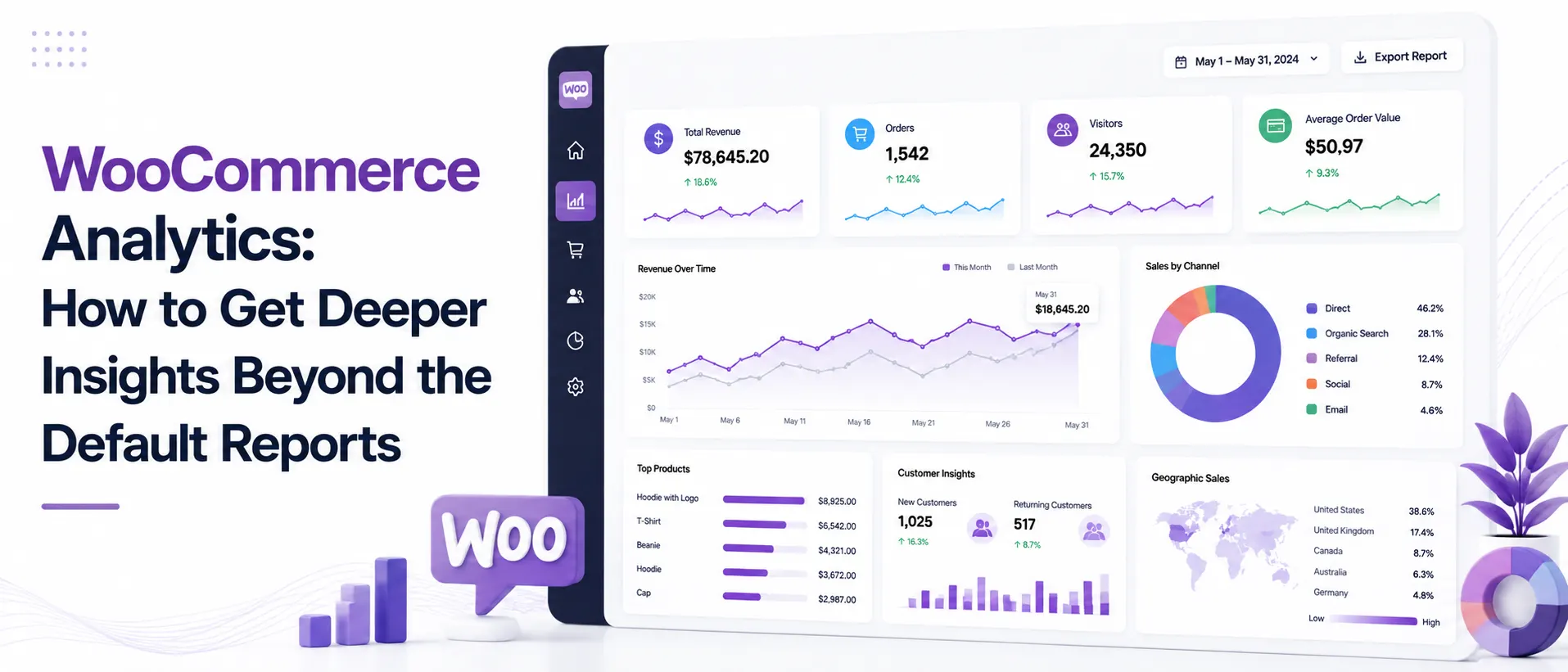
Your online shop has been up and running for a while with WooCommerce. Several sales are happening, orders are being filled, and the business is progressing. But when you go to the default WooCommerce reports and you want to understand why certain products are selling, who your most valuable customers are, and when you’re going to run out of stock, you will find no data.
The big issue with traditional WooCommerce analytics is that they aren’t customizable. It is not used to explain why or what will happen next. Basic sales numbers, order views, and product views. What you miss is customer lifetime value, cohort behavior, churn patterns, revenue forecasting, or any real idea about where your business is going. For the store owner who is trying to grow on purpose, it is, at best, the worst thing and, at worst, the most expensive.
In this guide, you will learn how to leverage the right plugins, integrations, and AI-powered tools to develop a reporting structure that goes well beyond what WooCommerce includes. It provides you with the insight and guidance needed to make informed decisions rather than simply counting out transactions.
What Is WooCommerce Analytics?
WooCommerce analytics is simply tracking, managing, and presenting data from your eCommerce website, such as orders, revenue, product performance, and customer behavior.
Recent McKinsey research indicates that 78% of organizations now use AI in at least one business function, underscoring the growing importance of data-driven decision-making. However, many businesses still struggle to convert the vast amounts of data they collect into measurable business value due to fragmented systems, limited analytical capabilities, and a lack of actionable insights.
Similarly, many WooCommerce store owners rely on basic dashboards and surface-level metrics, making it difficult to identify trends, optimize performance, and make informed decisions that drive sustainable growth.
The basic information is provided in the native reporting, such as total revenue, orders, top-selling products, taxes, and shipping. If you’re just starting out, that’s really helpful! As your store grows, however, those reports cease to provide you answers to the questions that are important to you.
Questions like:
- Which customer segments make the most money in the long-term?
- What is their repeat purchase rate, and is it increasing or decreasing?
- What products might you need to order again if you don’t?
- Do your marketing programs bring in profitable customers or just one-time customers?
To answer those questions, you need to go beyond the standard WooCommerce reporting configuration.
What Does the Default WooCommerce Reporting Actually Cover?
WooCommerce now includes a built-in Analytics section (added in WordPress WooCommerce 4.0) which has superseded the previous Reports tab. Here are some of the things it comes with:
Revenue & Orders
- The Gross and Net Revenue for a range of dates.
- Order counts, Average order value, and Refund tracking.
- Product, category, or coupon revenue breakdown.
Products
- For all products, the top-selling and top revenue products in order.
- Inventory and stock level report
- Product category performance
Customers
- This is a fundamental customer list that includes the lifetime spend.
- New vs. Repeat customer numbers
Downloads & Taxes
- Tax allocations by taxing jurisdiction
- Digital download activity
What’s missing? Cohort analysis, churn tracking, customer lifetime value trends, geographic breakdowns by segment, predictive metrics of any sort, and anything integrated into the marketing stack. The built-in woocommerce sales report is just the beginning and not the end.
The Key Metrics Your WooCommerce Analytics Dashboard Should Include
A good ecommerce analytics dashboard isn’t limited to presenting numbers. Indicates relationships among metrics to help you identify issues early and act on opportunities before they are missed.
These are the WooCommerce performance metrics to focus on:
Customer Metrics
- Customer Lifetime Value (CLV) is the total revenue a customer generates for your store over their lifetime.
- Repeat Purchase Rate is the percentage of customers who purchase more than once
- Churn Rate refers to the percentage of customers that have not engaged with the business for a specific period of time, such as 30, 60, or 90 days.
- The single most important profitability indicator: CAC / CLV ratio
Revenue Metrics
- Average Order Value (AOV) trend over time
- Revenue by customer segment (new, returning, loyal)
- The rate of refunds and their effect on net revenue.
- Track WooCommerce sales by traffic source/campaign and/or channel.
Product Metrics
- Do not use a product-level margin (which is not revenue), rather, use a product-level contribution margin.
- SKU velocity of inventory inventory
- Product return rate/refund rate
Forecasting Metrics
- Estimated revenues over the next 30/60/90 days
- Forecasting software can identify signals for inventory planning through demand forecasting.
- Seasonal trend patterns
Having these metrics all in one woocommerce analytics dashboard with proper filters and drill-down feature eliminates guesswork and brings management to the forefront.
Top WooCommerce Analytics Plugins Worth Considering
Here are some of the best WooCommerce analytics plugin options in the WooCommerce ecosystem. The primary ones are compared here:
| Plugin | Best For | Standout Feature | Pricing |
| WooCommerce Customer Analytics (official) | CLV, churn, repeat purchase | Cohort-based CLV with segment filters | Paid extension |
| Metorik | All-in-one store analytics | Funnel tracking + email reports | From $20/mo |
| Google Analytics for WooCommerce | Traffic + ecommerce attribution | Full WooCommerce Google Analytics integration | Free |
| Charty (WordPress.org) | Visual chart building | Smart chart engine, custom analytics | Free/Pro |
| WooCommerce Sales Analysis | Marketing-focused reporting | International sales + product trends | Paid extension |
| ProactiveAI | AI-powered conversational analytics | Natural language querying + predictive insights | Subscription |
There are numerous tools, each for a specific purpose. A small store that is just starting out can rely on the official Customer Analytics extension and WooCommerce Google Analytics integration. For mid-size stores that have very complex reporting requirements, a solution such as Metorik or ProactiveAI on top of it will work well.
WooCommerce Analytics vs. ProactiveAI
WooCommerce also has a built-in Analytics dashboard, but it’s primarily intended to provide you with information about your store’s past performance. When your business grows, you will need more in-depth customer information, predictive analytics, and faster response times to business queries, without having to manually construct reports.
| Feature | WooCommerce Analytics | ProactiveAI |
| Sales & revenue reports | Built-in | Advanced with custom breakdowns |
| Product performance | Top products and categories | Product trends, profitability, and forecasting |
| Customer lifetime value (CLV) | Limited (requires extensions) | Advanced CLV with customer segmentation |
| Cohort analysis | Limited | Interactive cohort and retention analysis |
| Churn tracking | Not available | Automatic churn detection and customer health insights |
| Revenue forecasting | Historical reporting only | AI-powered sales forecasting |
| Natural language queries | No | Ask questions in plain English |
| Custom dashboards | Basic filtering | Fully customizable dashboards and reports |
| Marketing attribution insights | Requires Google Analytics | Combines customer, product, and revenue insights in one place |
| Automated anomaly detection | No | Alerts for unusual sales, refunds, or customer behavior |
How to Connect WooCommerce to an Advanced Analytics Platform?
There are three ways to integrate WooCommerce with a third-party analytics platform:
1. Plugin-Based Integration
Most analytics tools have their own WooCommerce plugin or Google Tag Manager snippet. To do this for WooCommerce Google Analytics, you would install the official Google Analytics for WooCommerce plugin, link the GA4 account, and activate enhanced ecommerce tracking in GA4. It takes about 20-30 minutes to set up and will automatically track purchase events, product impressions, and funnel steps.
2. API + Data Warehouse
If you’re looking for more advanced woocommerce data analytics applications, you would be pushing order and customer data to a warehouse (Snowflake, BigQuery, Redshift) via the WooCommerce REST API and then creating your reporting on top of that using a BI tool. This provides full flexibility, but is technically challenging.
3. Pre-Built Connectors
Pre-built data pipelines like ProactiveAI provide WooCommerce connectors you can integrate. You just need to sync your store, configure it to sync specific data, and the platform will enrich, aggregate, and visualize it for you. No special engineering required.
Option 1 is great for traffic and attribution, and for most store owners, it is the best answer for customer analytics in woocommerce without having to build the infrastructure yourself. Option 3 is the fastest route to advanced woocommerce customer analytics.
How to Track Customer Cohorts in WooCommerce?
One of the most effective, yet rarely used, ecommerce analytics tools is cohort analysis. A cohort is just a group of customers with a shared attribute, typically their first purchase date. By tracking cohorts, you’ll be able to see whether the customers you acquired in January are still buying in June, how their buying changes over time, and whether new customers are more or less valuable than old ones.
The Customer Analytics extension was added to WooCommerce, enabling CLV tracking with cohorts based on acquisition date and cumulative lifetime value. It distinguishes between:
- These are customers who have made only 1 order.
- Repeat customers and 2-4 orders (configurable threshold)
- Customers of loyalty programs who place 5+ orders (configurable).
In WooCommerce, you must have a good customer base of 100 customers and 3-6 months of order history. The less data that is available, the more the metrics will vary, making them unreliable.
For more complex cohort analyses, such as revenue per cohort, cohort churn, and comparisons across different segments, a dedicated tool is preferable. Use natural language to ask questions about cohort information; for example, “which customer cohort from Q4 last year has the highest repeat purchase rate?”. With AI tools, you’ll receive an answer in seconds without having to build a SQL query or custom eCommerce dashboard.
Can AI Analytics Tools Work With WooCommerce Data?
Yes, and WooCommerce data analytics is progressing rapidly. Traditional reporting tools tell you what has occurred. AI-powered analytics tools can provide insights into the “how” and “what’s next.AI analytics tools can give you insights into “how” and “what’s next.
There are a few specific use cases of which you should be aware:
1. Predictive Revenue Forecasting
AI sales forecasting tools can take your past sales trends, seasonality, and other signals to provide revenue predictions. You’re no longer required to create a forecast model in Excel, but you’ll get forecasts that automatically update when new data arrives.
2. Anomaly Detection
An AI layer can flag a product or day when your refund rate goes up, or your conversion rate goes down, before you see it in your monthly review.
3. Natural Language Querying
This is perhaps the most useful of the developments. Self-service analytics platforms now allow store owners to ask questions in natural language, such as, “What’s my average order value this quarter compared to last year,” and then provide an accurate answer straight out of the WooCommerce database. No SQL. No pivot tables. No need to wait to build a report.
This is where ProactiveAI comes in handy. It is synced with your WooCommerce store, imports your orders, customers, and products, and provides you with an AI-powered conversational analytics platform that lets you interact with your data, just as you would with a data analyst. You can request a woocommerce sales report by segment, drill down to a particular product’s performance trend, or pull a churn study for a particular group of customers all through a chat interface.
It also has AI sales forecasting features to let you know what you can expect to make in the upcoming quarter, not what you have already made.
Conclusion
Basic sales figures and surface-level reports are sufficient for launching a WooCommerce store, but as your business grows, there are many gaps in out-of-the-box WooCommerce analytics. You need to think beyond transactions and delve into what customers are worth to the company, the behavior of each cohort, churn, and predicting future revenue to achieve true growth.
Fortunately, you are not confined to either taking the status quo approach to reports or building an elaborate data warehouse from scratch. Leveraging the right combination of specialized plugins, dedicated integrations, or cutting-edge AI-driven solutions, such as ProactiveAI, can help close the gap between raw data and actionable insights.
Make confident decisions and stop making educated guesses about your sales. Shift from reactive, data-driven management to proactive, data-driven management.
Frequently Asked Questions
What analytics does WooCommerce offer out of the box?
WooCommerce has built-in reports for revenue, orders, products, customers, taxes, downloads, and more. There is date-range filtering, some category and coupon breakdowns, but no cohort analysis, CLV modeling, churn tracking, or predictive capabilities.
How do you connect WooCommerce to an advanced analytics platform?
The most popular methods are to install one of the available plugins (such as Google Analytics for WooCommerce), connect to a warehouse by pushing data through the WooCommerce REST API, or use one of the available connector tools, such as ProactiveAI, which will sync and analyze data without requiring any custom engineering work.
What is the best analytics plugin for WooCommerce stores?
It is dependent on the requirements. If you’re looking for cohort-based customer analytics, WooCommerce’s official Customer Analytics extension is a good choice. ProactiveAI is the standout among several tools for AI-powered querying and forecasting. Google Analytics with enhanced ecommerce tracking is the standard for traffic and attribution.
How do you track customer cohorts in WooCommerce?
The WooCommerce Customer Analytics extension provides cohort-based CLV analysis, in which customers are grouped by their date of first purchase and their behavior over time is tracked. Tools such as ProactiveAI provide greater flexibility and are easier to set up for comparing datasets across cohorts and for natural language queries of cohort data.
Can you use AI analytics tools with WooCommerce data?
Yes. Incorporate AI-powered tools such as ProactiveAI directly into WooCommerce to automate anomaly detection, revenue forecasting, customer segment analysis, and conversational queries. They’re compatible with your current WooCommerce data and don’t require any custom pipelines or SQL knowledge.
You might also like
Handpicked articles for your reading list.

Get the latest insights on Conversational AI
Stay ahead of the curve with weekly updates on data analytics, AI trends, and eCommerce growth strategies delivered straight to your inbox.
Join 5,000+ industry leaders. Zero spam, just pure insights.